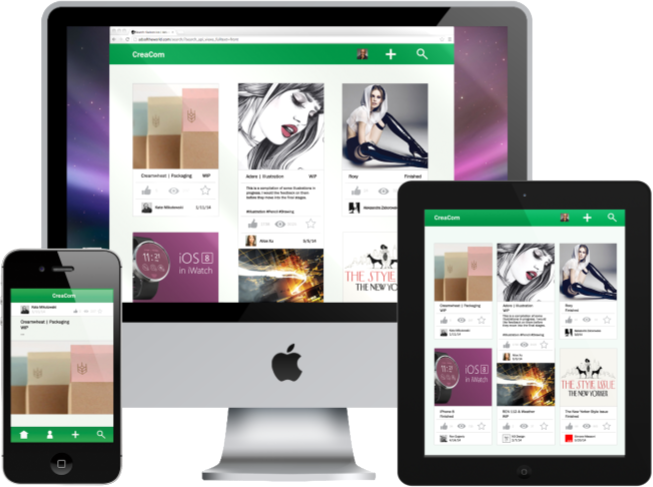




CreaCom is a social media platform where creative individuals can grow together by posting their works in progress for others to critique and gather inspiration from other artists.
Developing the Challenge
In a team of two, my partner and I were challenged to create a digital design based on the combination of two ideas: Transparency and Education. From this we crafted a rather straightforward general design statement: "We want to approach education through transparency".
Who is being educated? Where are they being educated? How? What does it mean to have "transparent education"? These were questions we asked ourselves in order to narrow in on our scope to decide on who and what we wanted to design for. My partner and I were both creative oriented individuals, so we had a mutual interest to design a solution that could benefit the art community.
Teaching and Learning
Moving forward with our target audience, we looked into where learning artists were in an online space. We kept the role of "artist" and category of "art" rather broad--as we went along we found it less important to segregate users on how they defined themselves and what they were doing. In the end our target users were all "creators" with tools and techniques that were learned. Where and how they learned this online was what we were really searching for.

Classroom Learning
There were plenty of websites where people could learn from, both paid and free for anyone to access. They contained workshops, lectures, video tutorials, and step-by-step guides. Such websites were Lynda.com, Coursera, Ctrl+Paint, and YouTube channels. These websites tended to simulate a classroom environment, where a planned out lessons on technique and tools were taught to students without too much back and forth between users.

Art Community
On the other spectrum, we discovered online art communities. We noticed a trend of artists gathering on social media like Facebook, Reddit, UStream, and long established forums such as ConceptArt.org. This differed from the previous teacher and student environment. Instead, works in progress and finished art was published publicly online, and users were giving feedback and communicating directly with each other. Art was learned from peer to peer and progress was self-driven. This simulated an art critique, where students present their work and criticism was offered. This critique was important to improving an artist's craft.
Researching further into the latter websites, we found examples such as DeviantArt, Behance, Dribble and phrased our findings into positives and negatives.
Large casual, friendly community with lots of interaction between users, but over saturated with amateur artists and not enough exposure to quality artwork.
Platform for professional artists to display their artwork to employers, but pressure to submit only best work, not much interaction between users
Tight-knit community that addittionally focuses on new artists, but users focus on aesthetics and what’s ‘pleasing to the eye’, sometimes disregarding actual content and improvement.
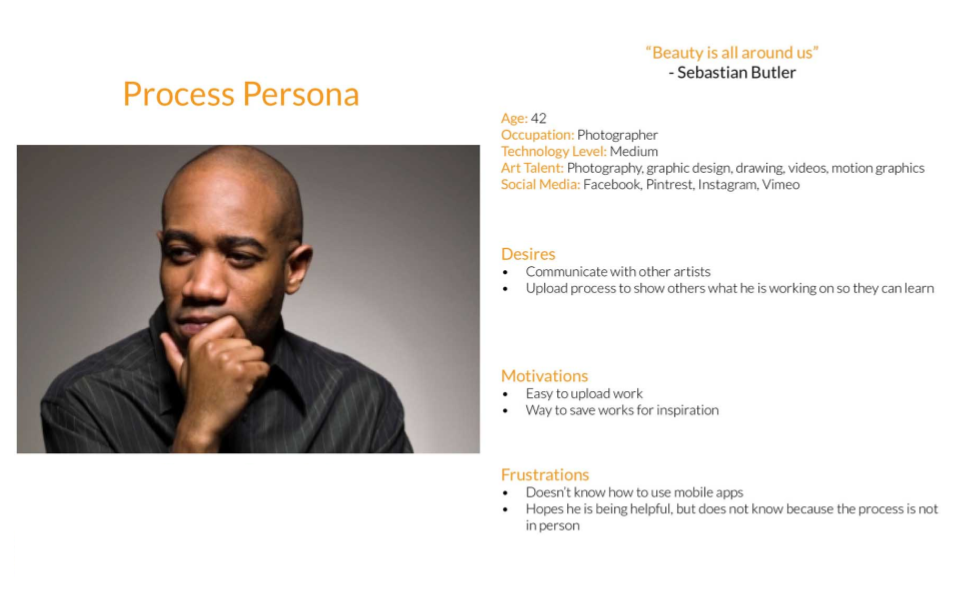
We interviewed students with varying majors, from Film & Television to Sequential Art. Later on we realized we were missing an important point of view-- the viewpoint from educators. From our interviews we developed the following two personas and their accompanying journey maps.
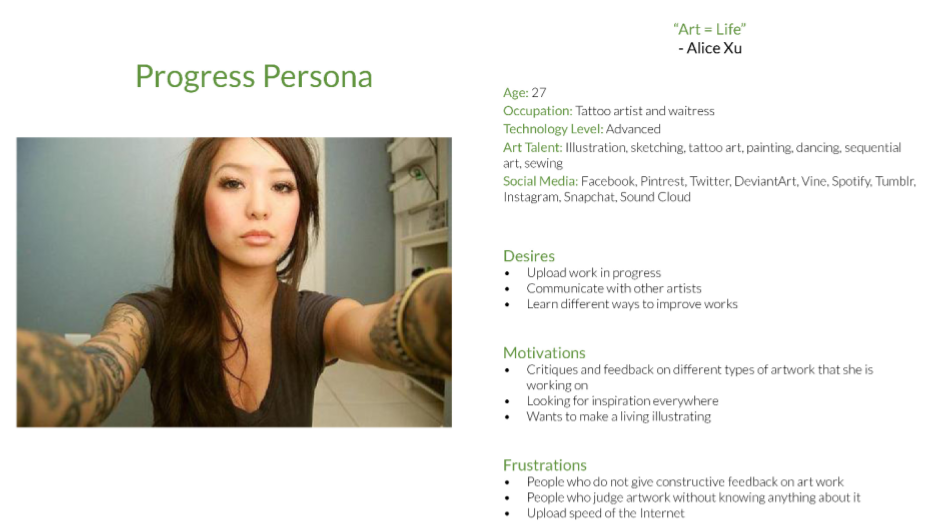
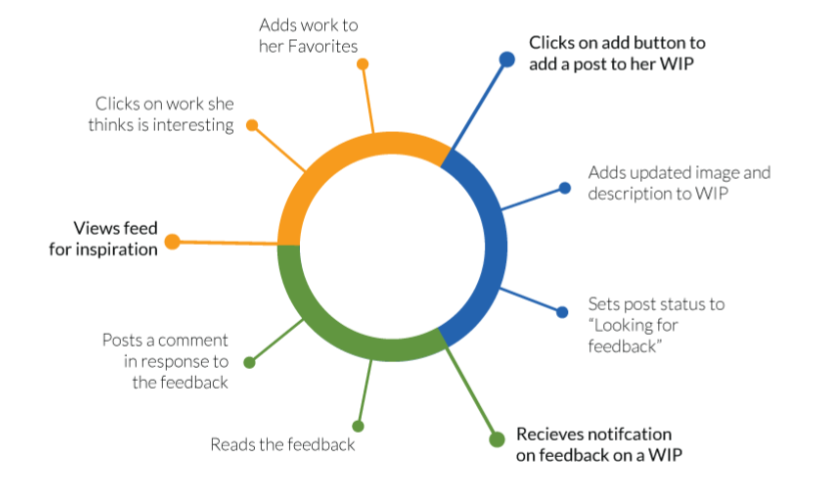
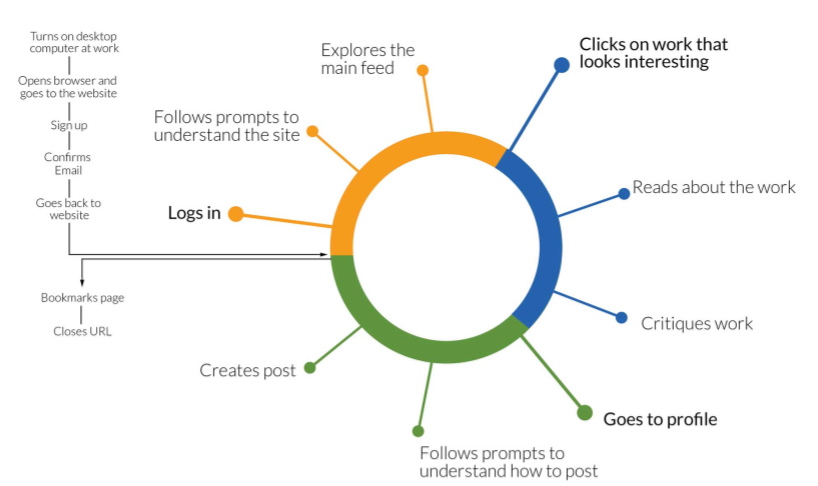
For Alice, it was important for her to easily share her work and communicate with other artist in order to improve and progress.
Sebastion desires to help other artists grow by giving feedback and documenting his own process for others to learn from.
Converging Our Insights
We went back to our original statement of "We want to approach education through transparency". With our newfound knowledge, we felt that this lined up with the idea of online art communities on social media. Users were transparent with their work, publicly publishing both polished pieces and works in progress. Members were open to each other on what they thought about each other's works.
How do the Features and Interactions between users impact the overall Community?
Through our research found that there is a design opportunity for the gap in between a casual community but with high amateur user interaction VS a professional community but low user interaction.
We believed we could design a middle ground by creating a community of serious artists who are focused on learning and improving together.
Creating a Place Where Artists Can Learn
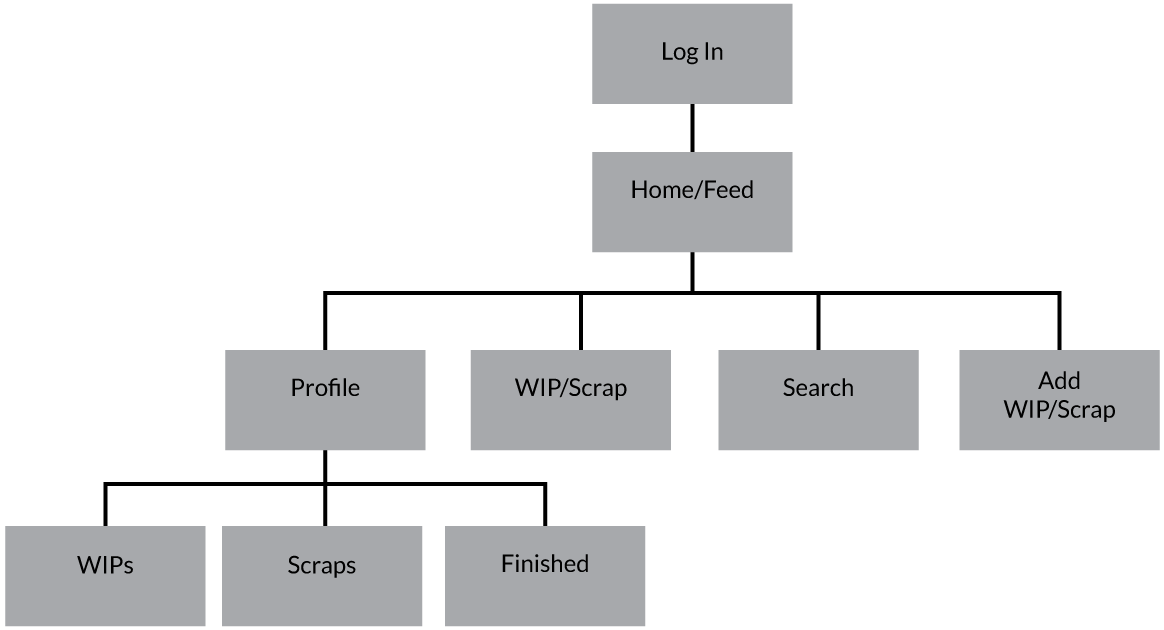
With our design we wanted to offer a platform where artists can easily:
- Showcase their artwork
- Communicate with other artists
- Gather inspiration from other artists
- Learn by sharing resources
We had a few ideas for features we wanted to include in our design, such as allowing users to upload both finished and progress shots, follow other artists, request critique, commenting system, save and organize artwork, and more. Starting with low-fidelity sketches, we roughly drew these ideas on paper for both a desktop and mobile platform, and lined out the information architecture.
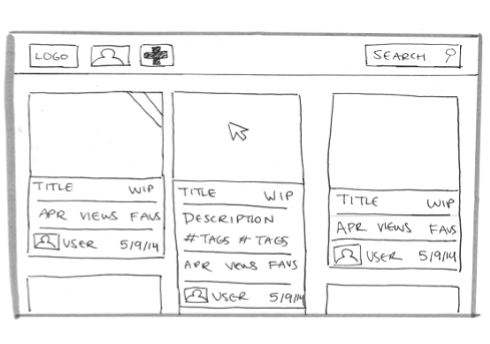
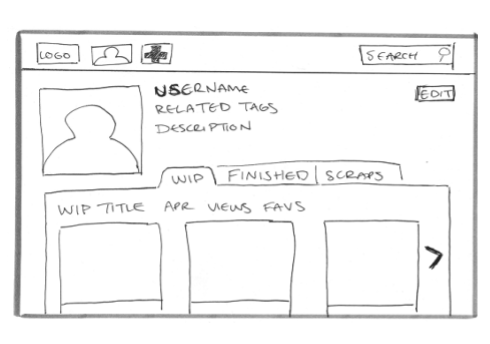
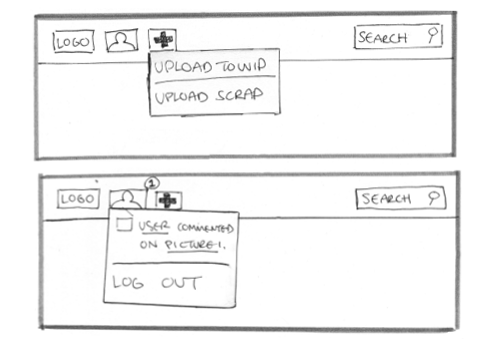
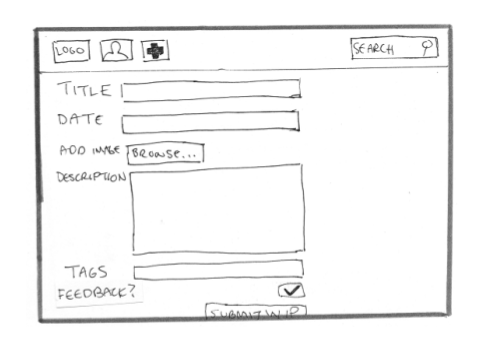
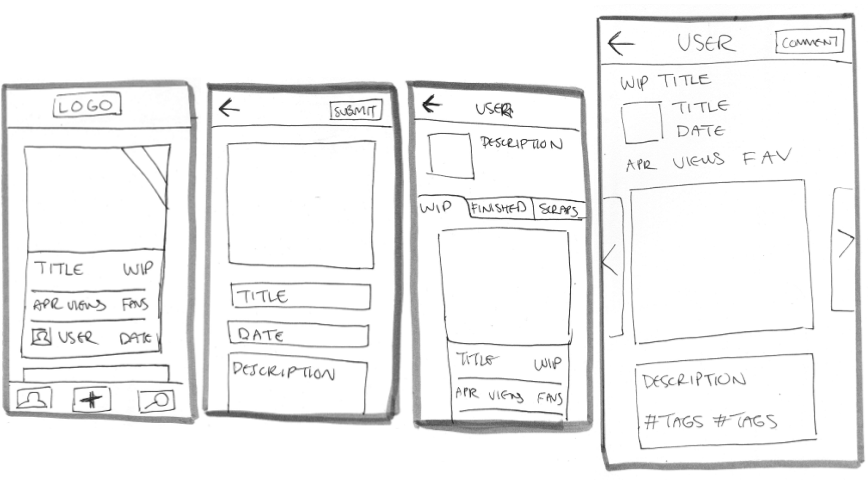
With our sketches we created a quick paper prototype to test our ideas. Participants were given a usability test with the following instructions:
- Appreciate a post on the home page
- Access your profile
- Upload a WIP
- Make a comment
We then took our sketches into Adobe Illustrator and Adobe Acrobat and created a simple digital mid-fidelity prototype.
From our testing, some users said our design was straight forward and easy to navigate, that they didn't understand what some of the icons signified, and some wanted an option to filter the feedback on their work.
We revised our prototype and implmented changes based on our feedback. We then proceeded to create high-fidelity mockups for desktop, tablet, and mobile.
A Creative Network for Learning
As designers we saw an opportunity to create a place for artists to learn through seeing other artists’ processes. With features such as publishing works in progress and a simple feedback feature, CreaComm is a creative community where learning artists can easily receive quality feedback in order to improve.